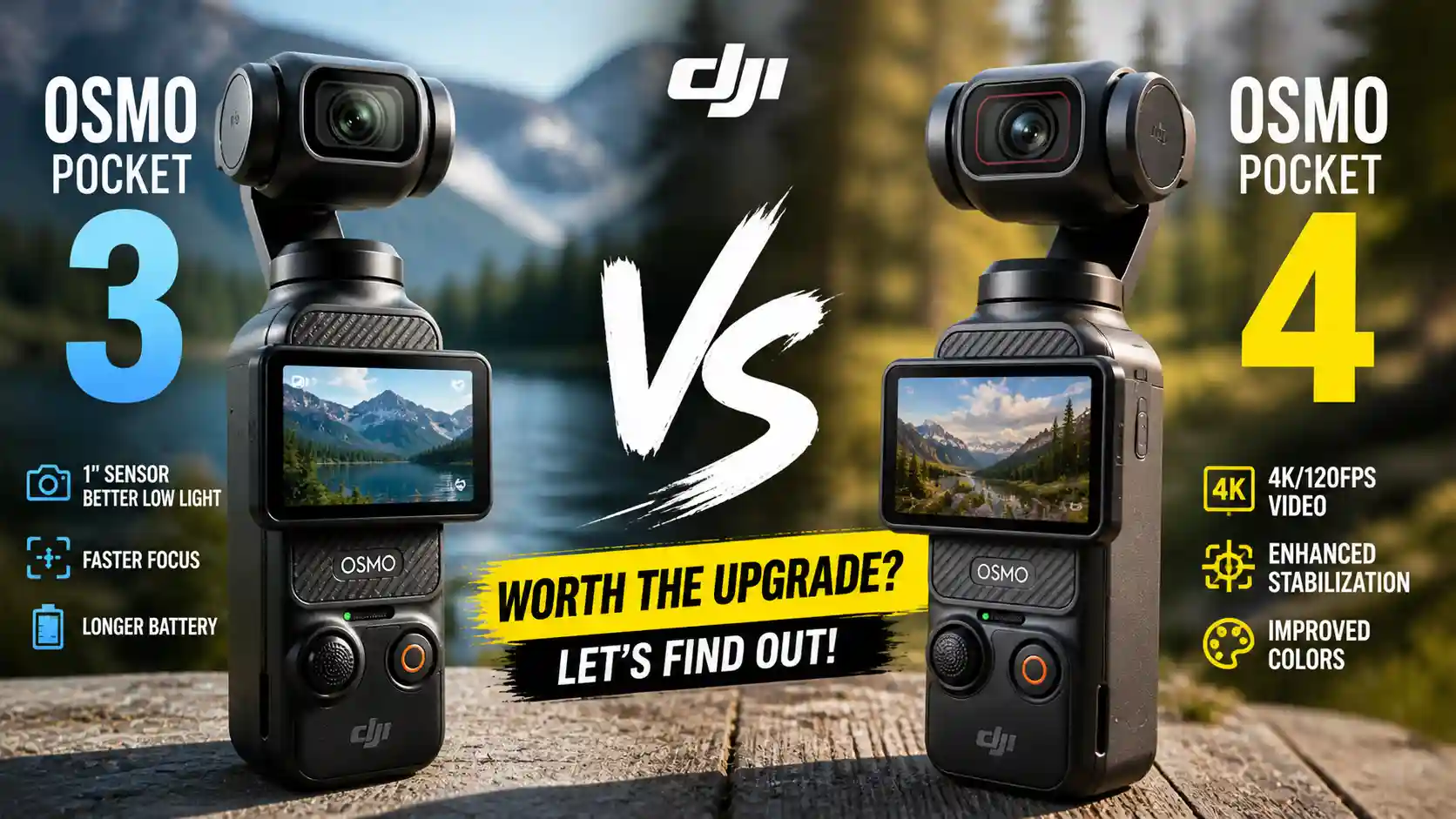
DJI Osmo Pocket vs Pocket 4
When DJI launched the Osmo Pocket 4, the first reaction from many existing Pocket 3 owners was something close to disappointment. The two cameras look nearly identical. Hold them side by side and the difference amounts to about 6 millimetres of extra height, a couple of new buttons, and some diagonal texture on the back. If you were hoping for a radical reinvention, the Pocket 4 is not that camera.
But here’s the thing: the Osmo Pocket 3 didn’t need reinventing. It was, by any honest measure, one of the best small cameras of its generation — a camera that produced genuinely great footage for vlogs, travel diaries, and documentary work in a form factor small enough to disappear into a jacket pocket. DJI knew that. And rather than changing what worked, they went deep into the internals, upgraded the sensor, pushed the processing power further, and quietly made a very good camera meaningfully better in the areas that actually matter to working creators.
So the real question isn’t whether the Pocket 4 looks different. It’s whether those internal upgrades translate to a noticeably better shooting experience in the real world — and whether they justify spending more money if you already own a Pocket 3.
This is the most thorough answer we can give you.
Design and Build: Familiar by Design
The DJI Osmo Pocket 3 vs Pocket 4 debate starts with design, and the short version is: they’re essentially the same camera to hold. Both fit comfortably in one hand. Both have the same 2-inch rotatable OLED touchscreen. Both use a 3-axis mechanical gimbal sitting above a compact body. Both feel solid without feeling heavy.
The Pocket 4 is slightly taller — about 6mm — and marginally heavier at 190.5g versus the Pocket 3’s 179g. That extra weight is almost entirely explained by a larger battery, which we’ll get to shortly. In the hand, you would not notice the difference.
What you will notice are the two new buttons on the back of the Pocket 4, revealed when you rotate the screen open. The first is a dedicated zoom button. On the Pocket 3, accessing zoom required tapping the screen or using the joystick — fine for casual use, but clumsy when something interesting is happening in front of you. On the Pocket 4, a single press gives you 2x zoom; a second press pushes you to 4x. It’s a small change with a real impact on usability in the moment. Hugh from Hugh Films, who tested both cameras extensively, put it plainly: “Sometimes a fight breaks out in front of you, you just need to go 2x — no, further, 4x. Bam. With the Pocket 3, the fight would have already been over by the time I zoomed in.”
The second new button is a programmable custom shortcut — the C button. You can assign it a single press, double press, or triple press, each mapped to a different function. One press might toggle between your two favourite shooting modes. Two presses might jump to your photo settings. Three might lock the gimbal. For anyone who shoots in a variety of conditions and hates hunting through menus mid-shoot, this button becomes genuinely indispensable within a few hours of use.
Beyond the buttons, the joystick on the Pocket 4 has been redesigned. It sits slightly higher, has a flat top rather than a rounded dome, and gives more precise, satisfying control. The micro SD card slot now has a covered hatch — a small but welcome change that prevents accidental ejection. And four silver pogo pins have been added to the back of the gimbal head to power the new optional fill light accessory.
The protective case system has changed, and not for the better. The Pocket 3 came with a compact, efficient hard case that locked the gimbal in position and slipped smoothly into a pocket. The Pocket 4 replaces this with a softer case and a separate gimbal clamp. Several reviewers have noted preferring the old solution. The new clip is smaller and easier to lose — one reviewer admitted misplacing theirs within the first week. It’s a puzzling step backward in an otherwise thoughtful upgrade.
Image Quality: Where the Pocket 4 Pulls Ahead
Both cameras share a 1-inch CMOS sensor, which has been the foundation of the Osmo Pocket line’s image quality since the Pocket 3 launched. But the Pocket 4’s sensor is an entirely new design, and the differences show up precisely where a working camera needs them: in difficult light.
In good daylight conditions, the gap between the two cameras is narrow enough that casual viewers won’t spot it. Detail is excellent on both. Colours are clean. The gimbal stabilisation keeps everything smooth whether you’re walking, cycling, or trying to film yourself halfway up a tree. For straightforward vlogging in reasonable light, the Pocket 3 still looks terrific.
The real separation begins in high-contrast situations — the kind you encounter constantly when shooting outdoors. Sunrises and sunsets. Open windows with bright sky behind dark interiors. Tree cover in dappled light. Scenes where you need the camera to hold both highlights and shadows at the same time.
The Pocket 4’s sensor delivers 14 stops of dynamic range. The Pocket 3 manages 12.7. That two-stop improvement is not a marketing number — it translates directly into retained detail in blown-out skies and crushed shadows that would otherwise be lost. Side-by-side tests in coastal and golden-hour conditions consistently show the Pocket 4 capturing richer cloud detail and more accurate shadow gradation. For anyone who shoots regularly in variable outdoor conditions, this alone justifies serious consideration.
Low light is another area of clear improvement. The Pocket 4’s dedicated low light mode now reaches ISO 25,600, up from the Pocket 3’s maximum of 16,000. The noise floor is lower. Colours in dim conditions are richer and less processed-looking. The camera also introduces a smart low light enhancement mode that activates automatically when the system detects dim conditions — without requiring you to manually switch modes. The Pocket 3 was already a surprisingly capable low-light camera for its size. The Pocket 4 is a meaningful step beyond it.
Photography has also received a significant upgrade. The Pocket 3 captured 9.4-megapixel stills. The Pocket 4 introduces a SuperPhoto mode that produces images at up to 37 megapixels — roughly 7,680 x 4,320 pixels — giving you genuine flexibility for cropping, printing, or delivering higher-resolution content to clients.
Colour Science and Log Profiles: D-Log vs D-Log M
This is, for many serious video creators, the most consequential change between the two cameras — and it cuts both ways.
The Pocket 3 offered D-Log M: a modified log profile designed to be easier to work with. It wasn’t as flat as professional log formats, which meant it required less extreme colour grading while still providing useful dynamic range latitude. It was a practical, accessible solution for creators who wanted better footage without wanting to spend hours in a colour suite.
The Pocket 4 drops D-Log M entirely in favour of true D-Log — DJI’s full, flat log profile, similar in character to what you’d find on professional cinema cameras. The image straight out of camera looks flat and greenish, which is normal for log footage. Once colour graded — even with a basic LUT — it recovers to a rich, cinematic image with significantly more tonal information than standard colour modes.
The upgrade is real, and for anyone comfortable in post-production, it’s an exciting step forward. Hugh from Hugh Films describes his approach simply: “My weapon of choice is definitely just D-Log with a conversion over so it doesn’t look flat. I really just use it more for repairing certain shots if it’s under exposed or over.”
The complication is that if you own both a Pocket 3 and a Pocket 4 and want to cut them together in a vlog, you’re now dealing with two different log profiles that don’t match natively. That’s a workflow consideration worth taking seriously. And for creators who preferred D-Log M precisely because it was manageable without deep colour grading knowledge, its removal may feel like a step backward.
Slow Motion: 4K 240fps Changes Everything
The Pocket 3 offered slow motion at 4K 120fps — genuinely impressive for a pocket-sized gimbal camera. The Pocket 4 doubles it. 4K 240fps arrives in a form factor that fits in your shirt pocket, and it produces footage of a quality that outpaces many dedicated cameras in higher price categories.
At 240fps played back at 24fps, you’re watching footage at 10% of real speed. The results are cinematic in a way that 120fps can’t quite match. Water, movement, light — everything takes on a different visual weight. And crucially, the Pocket 4’s slow motion is continuous, not a short buffer. In real-world testing, the camera recorded 10 minutes of continuous 4K 240fps footage before any thermal throttling — and 10 minutes of 240fps content plays back for over an hour and a half.
There are limitations to understand. Slow motion mode on the Pocket 4 cannot shoot in D-Log — you’re using the standard colour profile, which reduces dynamic range flexibility. Zoom is unavailable in 240fps mode. Tracking features are also disabled. These are genuine trade-offs, not dealbreakers, but they matter for workflow planning.
Worth noting for those comparing specs closely: the Pocket 3 allowed D-Log M shooting at 4K 120fps, something the Pocket 4 does not currently permit at that frame rate. Whether this changes with firmware updates remains to be seen.
Active Track 7.0: Finally Reliable
Tracking on the Pocket 3 was a feature many users approached with low expectations. It worked well enough in controlled conditions but had a frustrating tendency to lose subjects when they were briefly obscured or when other people moved through the frame. Many experienced creators had simply stopped using it.
Active Track 7.0 on the Pocket 4 is a material improvement. In direct side-by-side testing — placing both cameras in identical tracking scenarios — the Pocket 3 lost the tracked subject within the first shot. Over five separate test sequences, the Pocket 4 maintained tracking without a single failure. It recognises and re-acquires subjects after occlusion. It holds lock at greater distances. It tracks competently in 2x zoom mode, which the Pocket 3 could not do at all.
Practical limitations still exist. Very fast subjects moving past the camera can outpace the gimbal’s range of motion. Dense crowds with multiple similar subjects create confusion. And there’s still a slight dead zone in the gimbal’s tracking arc to the left. But for the primary use case — tracking yourself while vlogging, or maintaining a lock on a subject while walking — the Pocket 4’s tracking is reliable in a way that the Pocket 3’s simply was not.
The camera also introduces a new subject lock focus mode, which maintains focus on a designated subject rather than constantly hunting based on scene content. For anyone who experienced the Pocket 3’s occasional focus hunting in complex scenes, this is a welcome addition.
Battery Life: A Substantial Jump
Battery performance is one of the Pocket 4’s most striking real-world improvements. In extended testing with the screen at medium brightness, recording in 4K 10-bit D-Log at high bit rate — a genuinely demanding workload — the camera delivered over three hours and fifteen minutes on a single charge. A second run produced three hours and twenty-one minutes.
The Pocket 3’s real-world battery life was already decent, typically producing around two hours of practical use. The Pocket 4 clears three hours without compromise.
Fast charging is also significantly improved. The Pocket 4 reaches 80% charge in 18 minutes. For creators shooting events, travel days, or run-and-gun documentary work, that kind of charging speed removes one of the persistent anxieties of shooting with small cameras.
Internal Storage: 107GB Changes the Game
The Pocket 3 has no internal storage. If you forget your micro SD card, you cannot record. It’s a simple and slightly embarrassing limitation for a camera at this price point.
The Pocket 4 ships with 107 usable gigabytes of internal storage — enough for a substantial day of 4K shooting without a card. It also supports USB 3.1 file transfers at up to 800MB/s, compared to the Pocket 3’s USB 2.0. For anyone who regularly manages large amounts of footage, that speed difference is meaningful when you’re offloading at the end of a long shoot.
Audio: Four Channels and Spatial Sound
Audio has historically been a weak point for small cameras. The Pocket 4 addresses this more directly than its predecessor. It supports four-channel audio recording simultaneously — so with two external DJI Mic transmitters connected, you can capture each subject’s audio on a dedicated channel alongside the camera’s onboard microphones as backup. The previous Pocket 3 offered something similar but required syncing a separate audio file in post. The Pocket 4 embeds all four channels into a single video clip.
The camera also introduces spatial audio and audio zoom — the microphone intelligently shifts its pickup pattern to match where the camera is pointing. These features are more useful in practice than they might sound on a spec sheet, particularly for documentary-style work where ambient sound and clear subject audio matter in equal measure.
One practical note from real-world testing: ensure you have 32-bit float audio recording enabled in the settings. This feature is present but not activated by default, and recording without it — particularly with external microphones set at incorrect input levels — can result in audio distortion that is difficult to recover in post.
What the Pocket 4 Still Doesn’t Do
There are legitimate complaints about what didn’t make it into the Pocket 4.
The most discussed is the absence of a vertical recording option from the native sensor orientation. DJI introduced a wider sensor readout on their action cameras — allowing a squarer image that can be cropped for either horizontal or vertical delivery. Given how much social media content is now shot vertically, the absence of this feature on the Pocket 4 is a real missed opportunity. You can hold the camera sideways to shoot vertical content, and it works, but it requires deliberate physical adjustment rather than a menu option.
D-Log M, as discussed above, was useful and its removal will frustrate some users. The Pocket 4 also cannot shoot at 4K 120fps in D-Log — something the Pocket 3 handled with D-Log M — and does not offer 1080p 480fps slow motion, a mode the Pocket 3 supported in HD.
There’s also the matter of the case system, and the missing loop recording or end-trigger function that would allow the camera to retain only the last few minutes of continuous footage — genuinely useful for sports and trick-shot content where you might need 100 attempts before capturing the one you want.
Should You Upgrade from the Pocket 3?
If you already own a Pocket 3 and use it primarily for straightforward vlogging in decent light, the honest answer is: you probably don’t need to upgrade. The Pocket 3 still produces excellent footage. Its core strengths — stabilisation, portability, ease of use, solid image quality — remain entirely valid. You will not suddenly be producing worse work by continuing to use it.
If, however, you shoot regularly in challenging light — sunsets, shaded environments, indoor scenes with bright windows — the Pocket 4’s expanded dynamic range and improved low-light performance represent a genuine quality upgrade. If slow motion matters to your creative work, 4K 240fps is a significant capability leap. If your tracking frustrations with the Pocket 3 have shaped what you’re willing to attempt, Active Track 7.0 removes real obstacles. And if battery anxiety has ever cost you a shot, the Pocket 4’s three-plus hours of real-world life is a meaningful relief.
For anyone buying their first Osmo Pocket camera, the answer is simpler: buy the Pocket 4. The price premium over the Pocket 3 — which will continue to drop as the Pocket 4 becomes the standard model — is well justified by everything you gain.
The DJI Osmo Pocket 3 was one of the best small cameras made. The Pocket 4 is a better version of the same excellent idea. That may not be the revolutionary leap that makes for a dramatic review, but in the real world, where cameras are tools and footage is what matters, it’s exactly the kind of progress that counts.
Quick Comparison: DJI Osmo Pocket 3 vs Pocket 4 at a Glance
| Feature | Osmo Pocket 3 | Osmo Pocket 4 |
|---|---|---|
| Sensor | 1-inch CMOS | 1-inch CMOS (new) |
| Dynamic Range | 12.7 stops | 14 stops |
| Max Slow Motion | 4K 120fps | 4K 240fps |
| Log Profile | D-Log M / HLG | D-Log 10-bit |
| Internal Storage | None | 107GB |
| Battery Life | ~166 mins | ~240 mins |
| Max ISO | 16,000 | 25,600 |
| Tracking | ActiveTrack 6.0 | ActiveTrack 7.0 |
| Photo Resolution | 9.4MP | 37MP (SuperPhoto) |
| Audio | Stereo | 4-channel OsmoAudio |
| Custom Button | No | Yes |
| Fill Light Support | No | Yes (via pogo pins) |
Is the DJI Osmo Pocket 4 worth upgrading from the Pocket 3? It depends on your shooting style. If you frequently shoot in challenging light, need 4K 240fps slow motion, or found the Pocket 3’s tracking unreliable, the Pocket 4 is a worthwhile upgrade. For casual vloggers happy with their Pocket 3 footage, the improvement is real but not urgent.
What is the biggest difference between the Osmo Pocket 3 and Pocket 4? The most impactful differences are the 4K 240fps slow motion capability, the expanded 14-stop dynamic range with true 10-bit D-Log, 107GB of internal storage, and significantly improved Active Track 7.0 subject tracking.
Does the DJI Osmo Pocket 4 shoot better video in low light? Yes, meaningfully so. The Pocket 4 reaches ISO 25,600 versus the Pocket 3’s 16,000, produces less noise at high ISOs, and includes an automatic low light enhancement mode that activates without manual switching. The improvement is clear in direct comparisons.
Can you use Pocket 3 accessories with the Pocket 4? Most accessories are cross-compatible. The Pocket 3’s battery handle has been confirmed to work with the Pocket 4, and most third-party mounting solutions function the same way. The wide-angle lens adapter also carries forward. The main change is the new gimbal clamp replacing the old hard case.
Does the Osmo Pocket 4 shoot vertical video? Not natively in the way some action cameras do. You can rotate the screen and hold the camera sideways to capture vertical content, but there is no sensor-level open-gate mode or native vertical recording orientation built into the Pocket 4 as of current firmware.
Related posts:
 Hume Band Review: Does This Stress-Tracking Wearable Actually Work?
 Carbon Diet Coach: The Science-Based Macro Tracking App Created by Dr. Layne Norton That’s Revolutionizing Nutrition Coaching
 Ridge Wallet Review (2026): Is the Minimalist Metal Wallet Actually Worth It?
 10 Most Popular Gifts for Men in 2026 (That He’ll Actually Use)
 Why Slow Thinking Beats Fast Reactions in High-Stakes Decisions