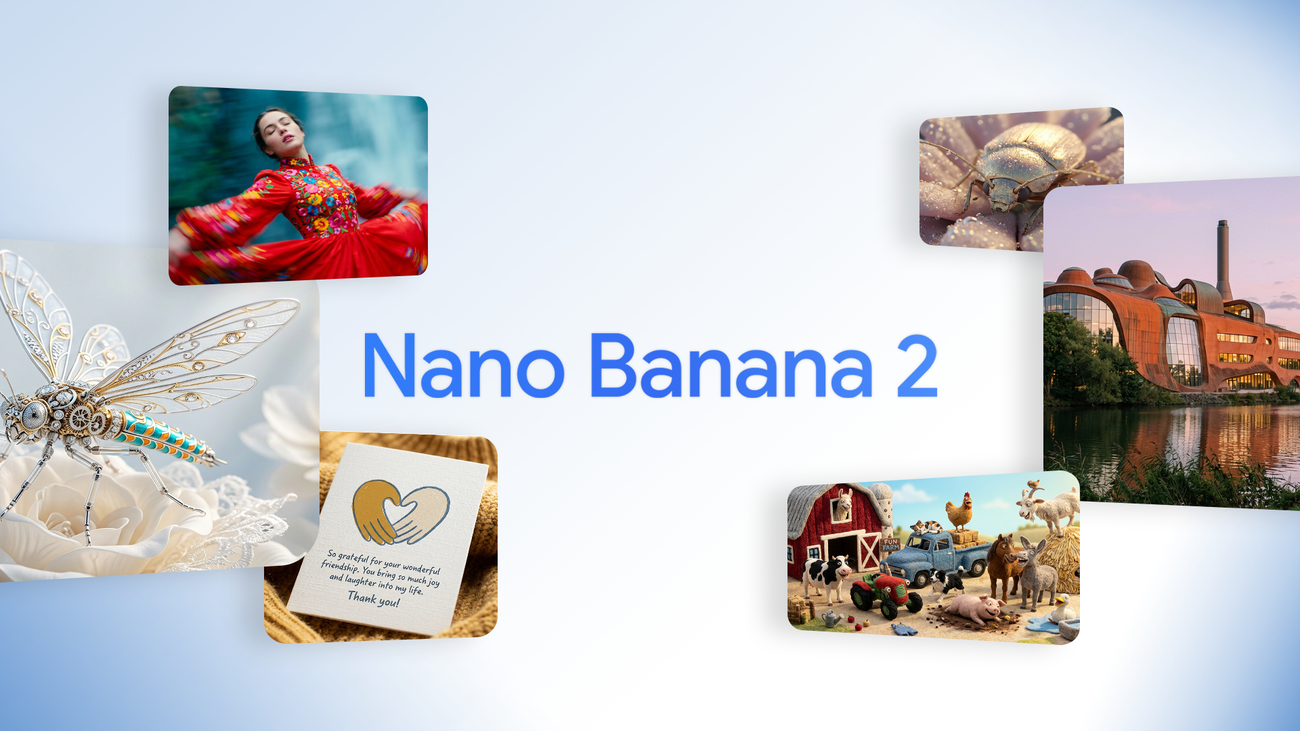
Nano Banana 2 is Google’s fastest AI image generator yet — free in the Gemini app, and good enough to replace what most people were using Nano Banana Pro for. Here’s what it actually is, the prompts that get the best results out of it, the use cases worth your time, and a curated set of video walkthroughs to get you up to speed fast.
What is Nano Banana 2? Nano Banana 2 is Google’s latest AI image generation and editing model, officially known as Gemini 3.1 Flash Image. Released February 26, 2026, it combines the visual quality of the higher-end Nano Banana Pro with the speed and low cost of Google’s Flash model line — making studio-level image generation and editing available for free through the Gemini app.
What Is Nano Banana 2, Exactly?
“Nano Banana” started as an internal codename for Google’s image model that leaked onto the LMArena leaderboard in August 2025 — and topped it before anyone knew who built it. Once Google confirmed it was theirs, the name stuck. Nano Banana Pro followed a few months later with more advanced reasoning and higher-fidelity output.
Nano Banana 2 is the next step: instead of forcing a choice between Pro’s quality and Flash’s speed, Google built a model that leans heavily toward Pro-level results while running several times faster. Under the hood, it’s Gemini 3.1 Flash Image — the naming shift from 3.0 to 3.1 reflects a real upgrade in the underlying reasoning the model does before it renders anything.
It’s currently rolling out across the Gemini app, Google Search (AI Mode and Lens), Google AI Studio, Vertex AI, and the Gemini API, alongside a lighter, even faster sibling called Nano Banana 2 Lite.
What’s New: Key Features and Improvements
A few upgrades stand out from earlier Nano Banana models:
- Sharper text rendering — legible, accurately spelled text inside generated images, including in multiple languages. This was one of the weakest points of most image models until recently.
- Real-world grounding — the model can pull from Gemini’s world knowledge and web search results to render specific real subjects (landmarks, products, public figures’ likenesses in editorial contexts) more accurately.
- Stronger instruction following — complex, multi-part prompts are followed more precisely instead of the model dropping details from longer requests.
- Character and subject consistency — the same character or object can be carried across multiple generated images with a consistent likeness, which matters for storytelling, comics, and sequential content.
- More aspect ratios and resolutions — up to 14 aspect ratios and output resolutions from 0.5K up to 4K.
- SynthID watermarking — every image generated or edited carries an invisible digital watermark identifying it as AI-generated, plus C2PA content credentials for added transparency.
Nano Banana 2 vs. Nano Banana Pro vs. Nano Banana 2 Lite
Google now offers three tiers in the same family, and picking the right one matters more than picking the “best” one:
| Model | Best for | Speed | Max resolution |
|---|---|---|---|
| Nano Banana 2 Lite | High-volume, low-cost generation; rapid ideation | Fastest | 4K |
| Nano Banana 2 | The default choice for most people and most projects | Fast | 4K |
| Nano Banana Pro | Complex scenes, intricate lighting, four or more subjects, studio-grade final renders | Slower | 4K |
For most everyday image needs — thumbnails, product mockups, social graphics, portraits, illustrations — Nano Banana 2 is the practical default. Reach for Pro when a scene has heavy complexity: multiple interacting subjects, demanding physics, or fine architectural detail where every extra second of “thinking” time pays off in the output.
Best Video Courses and Tutorials
Reading about a generative image model only gets you so far — prompting is a skill you build by watching how it’s actually done and then testing it yourself. Below is a hand-picked set of video walkthroughs covering everything from first-time setup to advanced prompting techniques, so you can go from “what is this” to producing usable images in one sitting.
Best Prompts for Nano Banana 2
The single biggest mistake people make with Nano Banana 2 is treating it like a search engine — typing short keyword strings instead of a real creative brief. The model does actual reasoning about intent, composition, and physics before it generates, so vague prompts produce vague, generic results. Specific prompts produce specific, usable ones.
A few prompting principles that consistently improve results:
- Direct the camera, not just the subject. Instead of “a man in a rainy city,” specify the lens, framing, and lighting: “A cinematic medium shot of a man walking through a rain-soaked street at night, lit by neon signage reflecting off wet pavement, shot on a 35mm lens with shallow depth of field.”
- Put on-image text in quotation marks. If you want the model to render specific words or a sign, wrap the exact text in quotes and specify font weight or placement — this measurably improves spelling and layout accuracy.
- State what should stay the same when editing. For image edits, explicitly name what must be preserved (framing, background, an object’s position) alongside what should change. This prevents the model from redesigning the whole scene when you only wanted one element adjusted.
- Treat it as a back-and-forth, not a single shot. Generate, review, identify the one underspecified element, and refine just that part. Because Nano Banana 2 renders quickly, this iterative loop is fast enough to use in real production work.
- Specify the asset type up front. Tell it whether you want an ad, an infographic, a product shot, a storyboard panel, or a UGC-style photo — this single detail shapes composition and style more than almost anything else in the prompt.
Best Use Cases for Nano Banana 2
Some of the strongest practical applications people are already getting real use out of:
- Product mockups and e-commerce photography — clean, consistent product shots without a studio.
- Marketing and ad creative — on-brand social graphics, banner ads, and campaign visuals with accurate on-image text.
- Storyboards and comics — consistent character likenesses carried across multiple panels.
- Infographics and diagrams — legible text and structured layouts that were previously a weak point for AI image tools.
- Localized creative campaigns — the same shot composition reskinned across languages and regions for multi-market marketing.
- Photo editing and restoration — targeted, non-destructive edits (changing a background, an outfit, or a setting) that preserve the rest of the original image.
Where it’s still worth reaching for Nano Banana Pro instead: dense scenes with four or more interacting subjects, precise logo design, and situations demanding exact spatial or architectural accuracy.
Frequently Asked Questions
Is Nano Banana 2 free to use?
Yes, for most people. It’s available free through the Gemini app and Google Search’s AI Mode. Higher-volume API access through Google AI Studio or Vertex AI is metered and requires a paid key.
What’s the difference between Nano Banana 2 and Nano Banana Pro?
Nano Banana 2 prioritizes speed and cost while staying close to Pro-level quality for most everyday use cases. Nano Banana Pro is slower but handles complex, multi-subject scenes and demanding lighting or spatial detail more precisely.
Can Nano Banana 2 edit existing photos, not just generate new ones?
Yes. You can pass in one or more reference images along with a text prompt to change backgrounds, swap styles or colors, or combine multiple images into a single scene, while preserving the parts of the original you don’t want changed.
Does Nano Banana 2 watermark its images?
Yes. Every image it generates or edits includes an invisible SynthID watermark identifying it as AI-generated, along with C2PA content credentials.
The Bottom Line
Nano Banana 2 closes most of the gap between “fast, cheap AI image tool” and “studio-quality generator” — and it does it for free in the Gemini app. Start with the video walkthroughs above if you’re new to it, apply the prompting principles when you sit down to actually build something, and reach for Nano Banana Pro only when a scene’s complexity genuinely calls for it.
Related posts:
 The YouTube Algorithm Update: What Creators Need to Know About the 2026 Gemini Update
 Our Place Titanium Pro Cookware Review: NoCo Tech Tested
 How Men Are Using Social Media and AI to Build Authentic Personal Brands in 2026
 Social Media Trends 2026: Expert Predictions from Kallaway and GaryVee That Will Transform Your Strategy
 100+ Atomic Habits Quotes by James Clear That Will Change Your Life